Explore 208 image prompt cards from the connected library. Each card keeps its compatibility guidance, review status, production notes, and reference links together.
REVIEW STATUSTemplate; review the generated image before approval.
Open prompt, brief, and review checks
Create a complete service-package preview for [client/business] with multiple coordinated deliverables. Keep the same visual language across all assets, include production-ready spacing, and make it suitable for client review.
P2-095Legacy prompt templateGenerate
Bonus Production Prompts for Service Packages · Phase 2
Corporate Illustration Bundle Preview
Production services, client deliverables, ad testing, asset bundles, e-commerce, brand systems
REVIEW STATUSTemplate; review the generated image before approval.
Open prompt, brief, and review checks
Create a complete service-package preview for [client/business] with multiple coordinated deliverables. Keep the same visual language across all assets, include production-ready spacing, and make it suitable for client review.
REVIEW STATUSUntested recipe; review output before production.
Open prompt, brief, and review checks
Using the supplied product reference as the source of truth, create a premium campaign visual for [brand]. Preserve the product silhouette, proportions, material finish, label placement, and approved brand colors. Place it in [environment] with [lighting direction]. Change only the supporting scene and composition. Keep [protected details] unchanged.
Inputs to replace
brand
environment
lighting direction
protected details
Acceptance checks
Product geometry matches the reference
Label and color placement remain unchanged
The scene supports the product rather than obscuring it
REVIEW STATUSUntested recipe; review output before production.
Open prompt, brief, and review checks
Create a new [channel] campaign asset for [brand]. Use the first reference for composition logic only and the second reference for product identity only. Do not copy unapproved text, logos, or people from either source. Build a fresh visual around [campaign message], with [negative-space location] reserved for final copy.
Inputs to replace
channel
brand
campaign message
negative-space location
Acceptance checks
Reference roles are followed independently
No source text or unapproved logo is reproduced
Copy area is clean and usable
EDIT-001Capability cardedit
Precision image editing · Capability packs
Background replacement with protected product
precision-editing
Precision image editingeditprecision-editing
COMPATIBILITYprecision-editing
REVIEW STATUSUntested recipe; review output before production.
Open prompt, brief, and review checks
Edit the supplied image. Preserve the product, label, logo placement, shape, camera angle, and shadow direction exactly as shown. Replace only the background with [new environment]. Match the existing lighting temperature and preserve a realistic contact shadow. Do not add props, text, hands, or additional products.
REVIEW STATUSUntested recipe; review output before production.
Open prompt, brief, and review checks
Edit only [target element] in the supplied image. Replace it with [replacement detail] while preserving every other object, facial feature, garment, product surface, lighting cue, and crop. Blend the correction naturally with the existing grain, depth of field, and color grade. Return no extra variants or new text.
Canvas extension and channel adaptation · Capability packs
Portrait-to-landscape canvas extension
precision-editing
Canvas extension and channel adaptationextendprecision-editing
COMPATIBILITYprecision-editing
REVIEW STATUSUntested recipe; review output before production.
Open prompt, brief, and review checks
Extend the supplied portrait image into a 16:9 composition. Keep the original image content unchanged and positioned on the [left or right] third. Generate only the new canvas area, continuing the existing setting, horizon, lighting, and texture. Reserve the opposite side as calm negative space for a headline. Do not stretch, crop, or duplicate the original subject.
Inputs to replace
left or right
Acceptance checks
Original image content is retained
New canvas continues the scene naturally
Headline zone stays uncluttered
EXT-002Capability cardextend
Canvas extension and channel adaptation · Capability packs
Square-to-vertical social adaptation
model-agnostic
Canvas extension and channel adaptationextendmodel-agnostic
COMPATIBILITYmodel-agnostic
REVIEW STATUSUntested recipe; review output before production.
Open prompt, brief, and review checks
Adapt the supplied square campaign visual to a 4:5 vertical social asset. Retain the hero object, scale, palette, and brand mood. Expand the composition above and below with [supporting scene]. Maintain one clear focal point and leave [copy zone] empty. Do not invent offers, prices, or logo text.
Inputs to replace
supporting scene
copy zone
Acceptance checks
Hero remains dominant after reframe
Added space matches the visual system
No fabricated marketing claims appear
TEXT-001Capability cardgenerate
Text and layout assets · Capability packs
Editorial launch tile with verified copy
fast-generation
Text and layout assetsgeneratefast-generation
COMPATIBILITYfast-generation
REVIEW STATUSUntested recipe; review output before production.
Open prompt, brief, and review checks
Design a 4:5 editorial launch tile for [brand]. Use the exact text below and no other visible words: [approved headline]. Set it as the dominant headline in [type treatment], placed in [placement]. Add [visual subject] as a supporting image, with [accent color] used sparingly. Maintain high contrast and generous margins. A human reviewer will verify spelling and alignment before release.
Inputs to replace
brand
approved headline
type treatment
placement
visual subject
accent color
Acceptance checks
Visible copy exactly matches approved text
Headline is legible at mobile size
No extra words or pseudo-text appear
TEXT-002Capability cardgenerate
Text and layout assets · Capability packs
Thumbnail with constrained text
fast-generation
Text and layout assetsgeneratefast-generation
COMPATIBILITYfast-generation
REVIEW STATUSUntested recipe; review output before production.
Open prompt, brief, and review checks
Create a 16:9 video thumbnail for [topic]. Use only this exact on-image phrase: [approved phrase]. Place it in a large high-contrast block on the [left or right]. Feature [subject or product] with a clear expression or silhouette on the opposite side. Use a restrained [brand palette] and strong focal separation. Do not include interface screenshots, watermarks, or any extra text.
REVIEW STATUSUntested recipe; review output before production.
Open prompt, brief, and review checks
Create a clean transparent-background cutout from the supplied product image. Preserve the full product shape, label, material texture, and natural edge detail. Remove the environment, props, cast shadow, and reflections outside the product. Do not recreate or alter packaging text. Return one centered asset with generous transparent padding for use in presentations and layouts.
REVIEW STATUSUntested recipe; review output before production.
Open prompt, brief, and review checks
Create a transparent-background sticker-style illustration of [concept] for [brand]. Use [visual metaphor] with crisp edges, limited [brand palette], and no text. Make the symbol immediately readable at small size and suitable for a presentation, social overlay, or landing page. Avoid logos, copyrighted characters, gradients that become muddy on dark surfaces, and background scenery.
REVIEW STATUSUntested recipe; review output before production.
Open prompt, brief, and review checks
Create a clean product feature explainer for [product]. Show one hero product at [view] with exactly [number] numbered callout markers. Use this approved label list only: [approved labels]. Arrange callouts so each leader line ends at the correct feature and no labels overlap. Use [background treatment] and reserve a footer area for later legal copy. A human reviewer must verify factual feature placement and all text before publishing.
REVIEW STATUSUntested recipe; review output before production.
Open prompt, brief, and review checks
Design a 16:9 training process visual for [process name]. Show this exact sequence: [approved steps]. Use a left-to-right flow with one visual anchor per step, restrained [brand palette], and a clear completion state. Do not add, reorder, rename, or imply steps beyond the approved sequence. A subject-matter expert must validate process accuracy before use.
Inputs to replace
process name
approved steps
brand palette
Acceptance checks
Step order matches approved source
Labels are readable and non-overlapping
No unsupported process claims appear
CAMP-001Capability cardgenerate
Campaign systems · Capability packs
Cross-channel product launch direction
model-agnostic
Campaign systemsgeneratemodel-agnostic
COMPATIBILITYmodel-agnostic
REVIEW STATUSUntested recipe; review output before production.
Open prompt, brief, and review checks
Create the master art direction for a [brand] launch of [product]. Establish one hero visual, [mood], [lighting], and [composition rule] that can scale across 16:9, 4:5, 1:1, and 9:16 formats. Keep [product identity details] fixed. Describe the visual system as a clean campaign key art, not a collage. Leave safe negative space that can move with each channel crop.
Inputs to replace
brand
product
mood
lighting
composition rule
product identity details
Acceptance checks
Visual system is adaptable across specified channels
REVIEW STATUSUntested recipe; review output before production.
Open prompt, brief, and review checks
Create a reusable editorial visual direction for a [number]-post thought-leadership series about [topic] for [brand]. Define a stable visual grammar using [hero motif], [surface or texture], [lighting], and [accent color]. Each image should vary the scenario while preserving the same lens language, tonal range, and copy-safe region. Avoid generic AI gradients, floating interface mockups, and fabricated data visualizations.
REVIEW STATUSUntested recipe; review output before production.
Open prompt, brief, and review checks
Edit the supplied product image. Treat it as the source of truth for product geometry, label placement, material finish, camera angle, and contact shadow. Replace only the environment with [new environment], matching the existing light direction and color temperature. Do not change the product, crop, packaging text, logo placement, or add props, people, or extra products.
Inputs to replace
new environment
Acceptance checks
Product geometry, label placement, and material finish remain intact
Only the environment changes
New background perspective and contact shadow are coherent
REVIEW STATUSUntested recipe; review output before production.
Open prompt, brief, and review checks
Create a [aspect ratio] campaign visual for [brand] and [product]. Establish one clear hero product, [mood], [lighting], and [environment]. Preserve a clean [copy-safe location] for final copy. Use [brand palette] sparingly and do not show readable text, prices, badges, watermarks, interface fragments, or unapproved logos. Produce a single focused key visual, not a collage.
Inputs to replace
aspect ratio
brand
product
mood
lighting
environment
copy-safe location
brand palette
Acceptance checks
Hero product is immediately recognizable
Copy-safe area is clean and intentional
No fabricated copy, claims, or unapproved branding appears
REVIEW STATUSUntested recipe; review output before production.
Open prompt, brief, and review checks
Use the first supplied reference only for [style role: palette, texture, or visual medium]. Use the second supplied reference only for [identity role: product or subject details]. Create a new [new subject or scene] with [composition]. Preserve the protected identity details from the second reference. Do not reproduce source text, logos, copyrighted characters, or unrelated people from either reference.
Inputs to replace
style role: palette, texture, or visual medium
identity role: product or subject details
new subject or scene
composition
Acceptance checks
Each reference is used only for its declared role
Protected identity details remain intact
Output is a new composition rather than a copy of either input
REVIEW STATUSUntested recipe; review output before production.
Open prompt, brief, and review checks
Create a 4:5 editorial launch tile for [brand]. Show this exact approved copy once, character for character: [approved copy]. Set it in [type treatment] at [placement]. Use [visual subject] as supporting imagery and reserve [accent color] for a small emphasis. Maintain generous margins and high contrast. Do not add any other words, logos, watermarks, dates, claims, or pseudo-text. A human reviewer will verify copy, legibility, and alignment before release.
Inputs to replace
brand
approved copy
type treatment
placement
visual subject
accent color
Acceptance checks
All visible text exactly matches the approved copy
Text is legible at mobile size
No extra text, pseudo-text, or unapproved claim appears
GI25-005Capability cardedit
GPT Image 2.5 workflows · Capability packs
Sunburst transparent product extraction
gpt-image-2.5-sunburst
GPT Image 2.5 workflowseditgpt-image-2.5-sunburst
COMPATIBILITYgpt-image-2.5-sunburst
REVIEW STATUSUntested recipe; review output before production.
Open prompt, brief, and review checks
Edit the supplied product photo into one clean isolated asset. Preserve product geometry, label legibility, material texture, and natural edge details. Remove only the environment, props, exterior reflections, and cast shadow. Do not recreate or restyle the product. Return a centered product with generous transparent padding, clean alpha edges, no haloing, no painted backdrop, no checkerboard, and no watermark.
0
Acceptance checks
Output contains true alpha transparency
Edges are clean without halos or background residue
REVIEW STATUSUntested recipe; review output before production.
Open prompt, brief, and review checks
Use the previous approved image as the starting point. Change only [one requested condition]. Keep the product or subject identity, composition, crop, perspective, lighting direction, palette, visible text, and all approved elements unchanged. Do not introduce additional concepts, props, people, or copy. Return one refined image for human comparison against the prior version.
Inputs to replace
one requested condition
Acceptance checks
Only the requested condition changes
Protected details match the prior approved image
Human reviewer can compare the new output directly to the prior version
BRIEF-001Capability cardgenerate
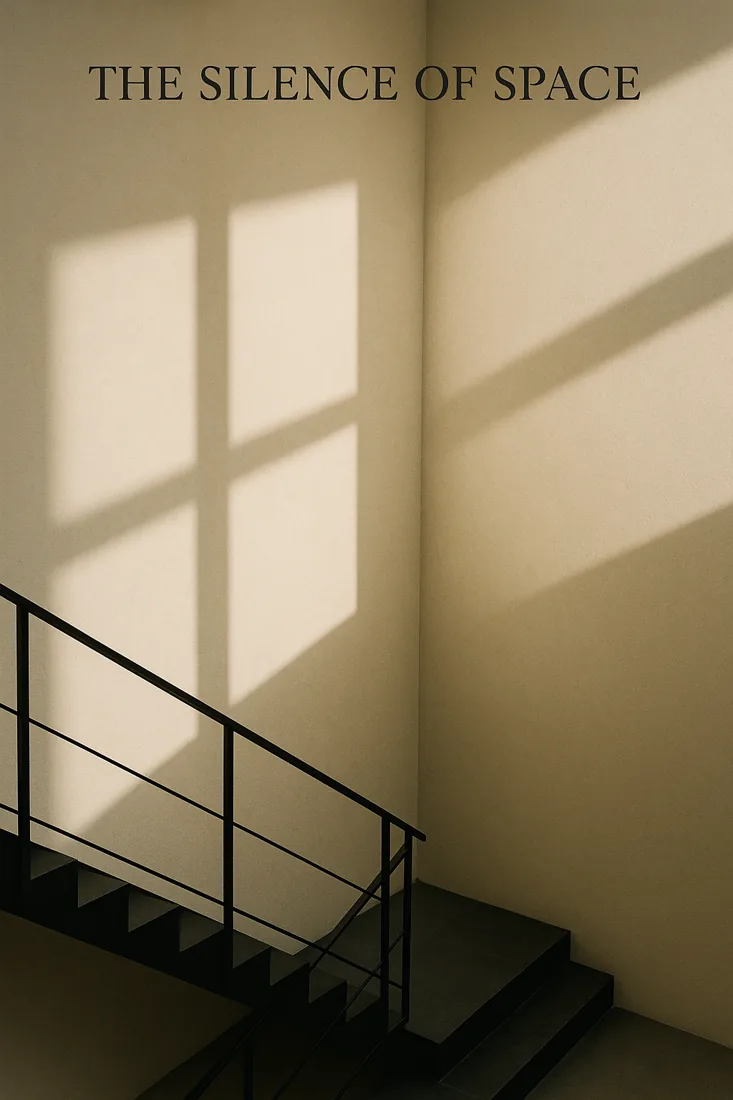
Minimalist Architectural EleganceVisually inspected. Prompt and engine provenance unverified.Engine: Not recorded · Credit: WenceStudio source collectionReview note
Architectural composition and light. Existing text makes this a layout reference, not a clean text-free hero.
Image Production Briefs · Capability packs
Website hero with copy space
model-agnostic
Image Production Briefsgeneratemodel-agnostic
COMPATIBILITYmodel-agnostic
REVIEW STATUSUntested recipe; review output before production.
Open prompt, brief, and review checks
Copy this brief, complete every bracket, and attach every reference image mentioned. If a required reference is missing or instructions conflict, identify the gap before producing the image.

1. Objective
Image type: website hero.
Purpose and platform: [offer or service] on [landing page].
Core visual idea: [single customer benefit expressed visually].
Target audience: [specific viewer and intended response].

2. References
Reference 1: [filename or None]. Use: [exact role and details to preserve].
Reference 2: [filename or None]. Use: [separate role, such as composition or lighting only].
Priority: [source to follow if references conflict]. Do not transfer unrelated faces, text or logos between references.

3. Art Direction
Subject or product: [hero subject, visible attributes and one supporting object].
Scene and background: [simple architectural or studio setting]. Keep competing objects out of the copy zone.
Composition: Place the subject in [left or right third]; reserve [percentage and side] as low-detail negative space for later headline placement. Protect [mobile crop focal point].
Action and expression: [quiet purposeful action or still pose].
Visual style: [restrained editorial style].
Color and lighting: [palette], [key-light direction], soft controlled shadows; no bright hotspot in the copy area.
Camera direction: [wide or normal lens feel], level viewpoint, moderate depth; keep the subject recognizable in a smaller crop. Camera terms describe the visual result, not guaranteed physical capture metadata.

4. Brand and Continuity Lock
Brand elements to preserve: [palette, materials, mood and approved logo-safe area].
Subject or product invariants: [visible traits, proportions, label details or scene elements that must remain consistent]. Do not claim an exact identity match based on prompting alone.

5. Constraints
Must include: [required elements and priority order].
Must avoid: unrequested people, duplicate objects, malformed anatomy, watermarks, invented logos and [scene-specific exclusions]. Preserve approved details; flag a conflict rather than silently substituting them.

6. Output and Finishing
Image engine: [engine or unspecified].
Aspect ratio and resolution: [desired ratio and pixel dimensions; verify engine support; if unsupported, state an alternative]. Suggested composition: 16:9.
Text in image: No text. Headline and approved logo will be added later.
Finishing requirements: [retouching level, natural surface detail, grain, sharpness and export format].
Later edits I will make: [crop, headline, approved logo, color adjustment or None].
Review before approval: Preserve space for headline across desktop and mobile crops.
Inputs to replace
offer or service
landing page
single customer benefit expressed visually
specific viewer and intended response
filename or None
exact role and details to preserve
separate role, such as composition or lighting only
source to follow if references conflict
hero subject, visible attributes and one supporting object
simple architectural or studio setting
left or right third
percentage and side
mobile crop focal point
quiet purposeful action or still pose
restrained editorial style
palette
key-light direction
wide or normal lens feel
palette, materials, mood and approved logo-safe area
visible traits, proportions, label details or scene elements that must remain consistent
required elements and priority order
scene-specific exclusions
engine or unspecified
desired ratio and pixel dimensions; verify engine support; if unsupported, state an alternative
retouching level, natural surface detail, grain, sharpness and export format
crop, headline, approved logo, color adjustment or None
Acceptance checks
Preserve space for headline across desktop and mobile crops
References influence only their assigned roles
All requested invariants and exclusions have been visually inspected
Final crop, copy space and any supplied text are reviewed at delivery size
REVIEW STATUSUntested recipe; review output before production.
Open prompt, brief, and review checks
Copy this brief, complete every bracket, and attach every reference image mentioned. If a required reference is missing or instructions conflict, identify the gap before producing the image.

1. Objective
Image type: editorial portrait.
Purpose and platform: [profile, interview or publication].
Core visual idea: [one personality trait expressed through pose and light].
Target audience: [specific viewer and intended response].

2. References
Reference 1: [filename or None]. Use: [exact role and details to preserve].
Reference 2: [filename or None]. Use: [separate role, such as composition or lighting only].
Priority: [source to follow if references conflict]. Do not transfer unrelated faces, text or logos between references.

3. Art Direction
Subject or product: [person from attached identity reference, visible features, grooming and wardrobe].
Scene and background: [uncluttered studio or location].
Composition: [head-and-shoulders or seated framing], eyes near [position], breathing room above the head; reserve [copy zone].
Action and expression: [pose, gaze direction and expression].
Visual style: [editorial realism].
Color and lighting: [key direction and softness], [fill strength], natural skin tones and coherent catchlights.
Camera direction: [portrait lens feel], eye-level viewpoint, enough depth to keep both eyes readable. Camera terms describe the visual result, not guaranteed physical capture metadata.

4. Brand and Continuity Lock
Brand elements to preserve: [palette, materials, mood and approved logo-safe area].
Subject or product invariants: [visible traits, proportions, label details or scene elements that must remain consistent]. Do not claim an exact identity match based on prompting alone.

5. Constraints
Must include: [required elements and priority order].
Must avoid: unrequested people, duplicate objects, malformed anatomy, watermarks, invented logos and [scene-specific exclusions]. Preserve approved details; flag a conflict rather than silently substituting them.

6. Output and Finishing
Image engine: [engine or unspecified].
Aspect ratio and resolution: [desired ratio and pixel dimensions; verify engine support; if unsupported, state an alternative]. Suggested composition: 4:5.
Text in image: [exact approved words or No text].
Finishing requirements: [retouching level, natural surface detail, grain, sharpness and export format].
Later edits I will make: [crop, headline, approved logo, color adjustment or None].
Review before approval: Inspect visible reference traits, hands, eyes and natural skin texture.
Inputs to replace
profile, interview or publication
one personality trait expressed through pose and light
specific viewer and intended response
filename or None
exact role and details to preserve
separate role, such as composition or lighting only
source to follow if references conflict
person from attached identity reference, visible features, grooming and wardrobe
uncluttered studio or location
head-and-shoulders or seated framing
position
copy zone
pose, gaze direction and expression
editorial realism
key direction and softness
fill strength
portrait lens feel
palette, materials, mood and approved logo-safe area
visible traits, proportions, label details or scene elements that must remain consistent
required elements and priority order
scene-specific exclusions
engine or unspecified
desired ratio and pixel dimensions; verify engine support; if unsupported, state an alternative
exact approved words or No text
retouching level, natural surface detail, grain, sharpness and export format
crop, headline, approved logo, color adjustment or None
Acceptance checks
Inspect visible reference traits, hands, eyes and natural skin texture
References influence only their assigned roles
All requested invariants and exclusions have been visually inspected
Final crop, copy space and any supplied text are reviewed at delivery size
Prompt data, previews, and review metadata from ChatGPT Image Prompt Packs (MIT License). Imported asset provenance and review notes are shown with each resource.